Your store’s currency and time zone settings determine how financial data and reporting are displayed inside the platform.
How to Change Store Currency
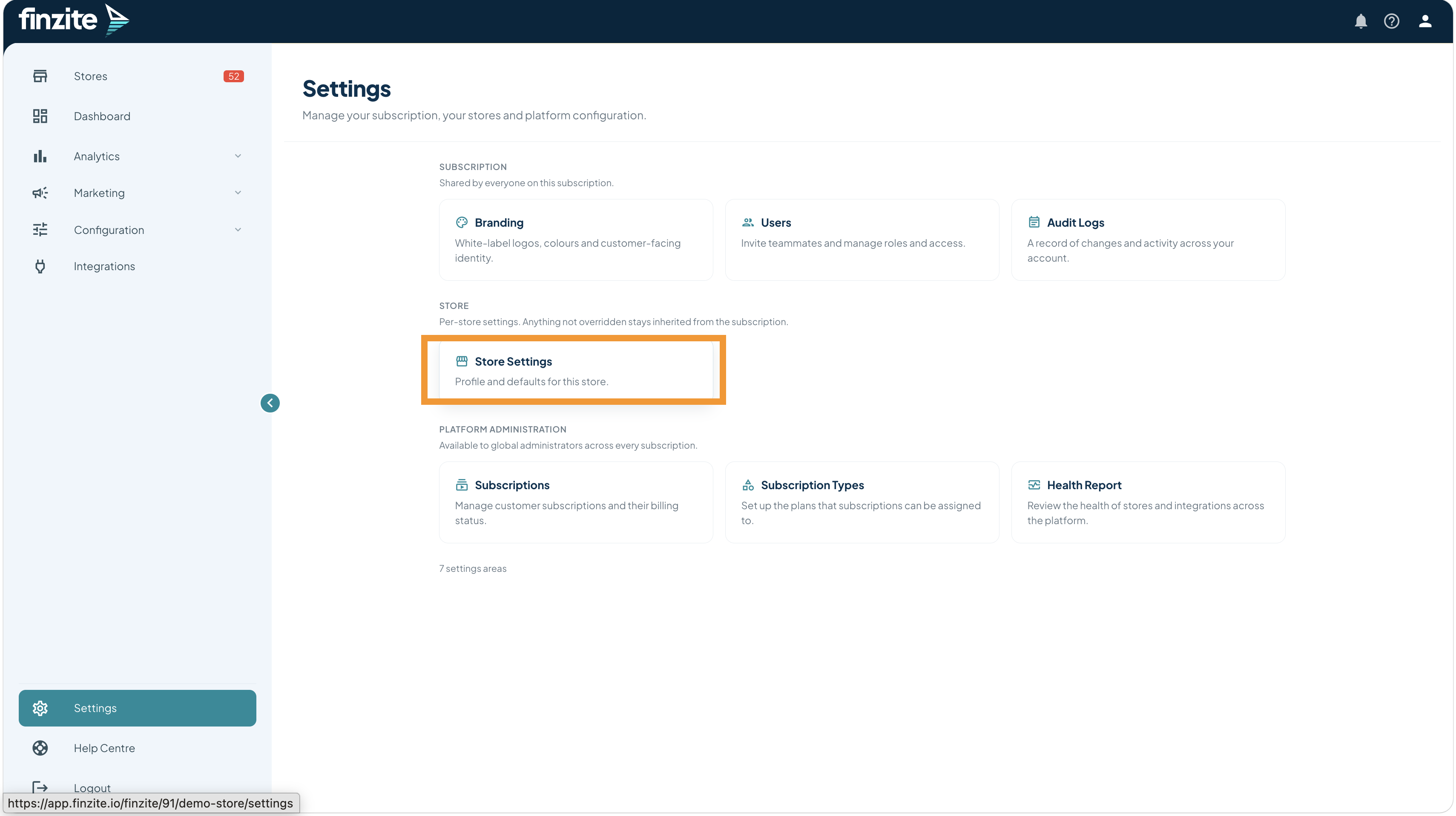
Navigate to Settings.
Click on Store Settings.
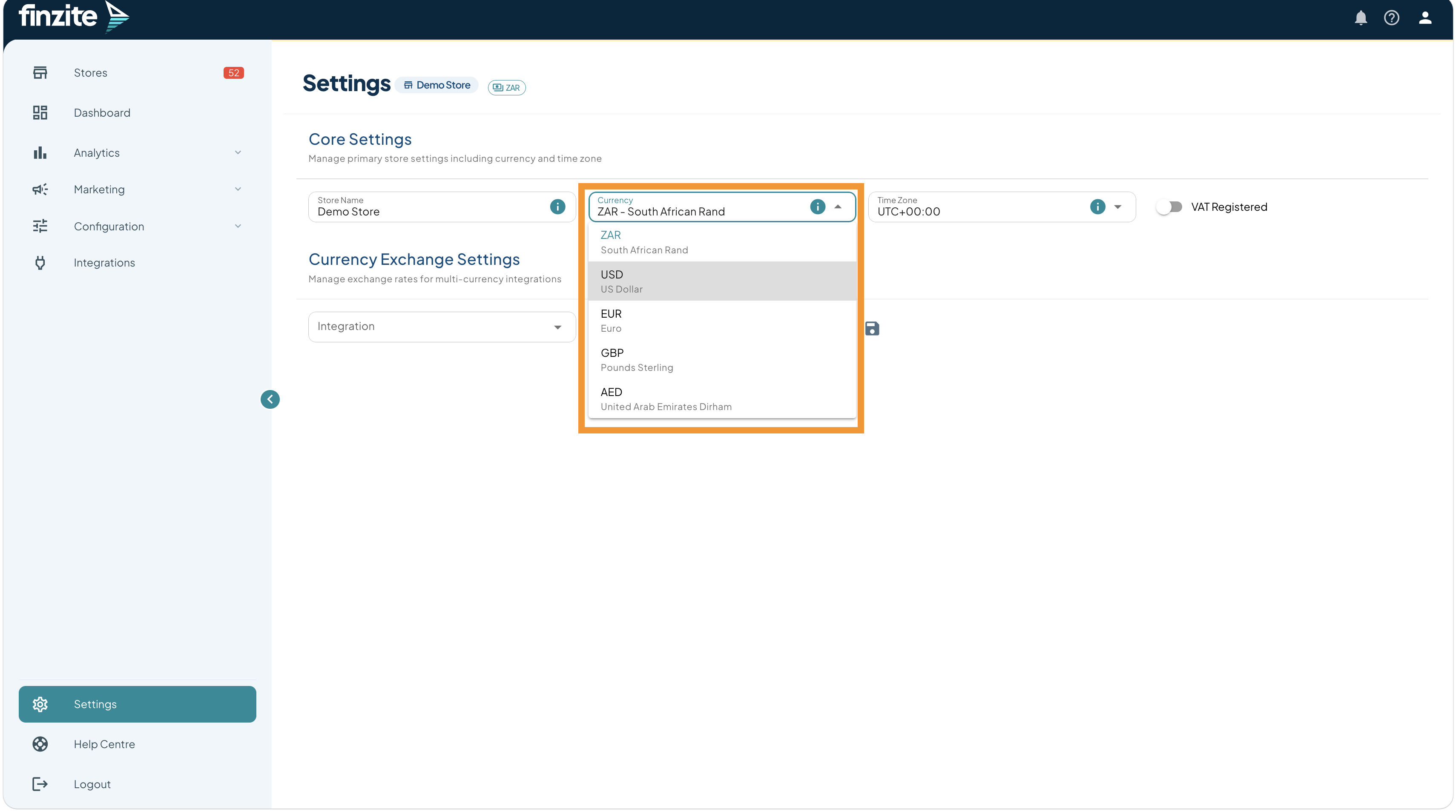
Under Core Settings, locate the Currency field.
Select the appropriate currency from the dropdown.
Click Save.
⚠️ Important:
Changing your primary store currency affects how values are displayed in reports and dashboards.
Was this article helpful?
That’s Great!
Thank you for your feedback
Sorry! We couldn't be helpful
Thank you for your feedback
Feedback sent
We appreciate your effort and will try to fix the article