1. Navigate to settings
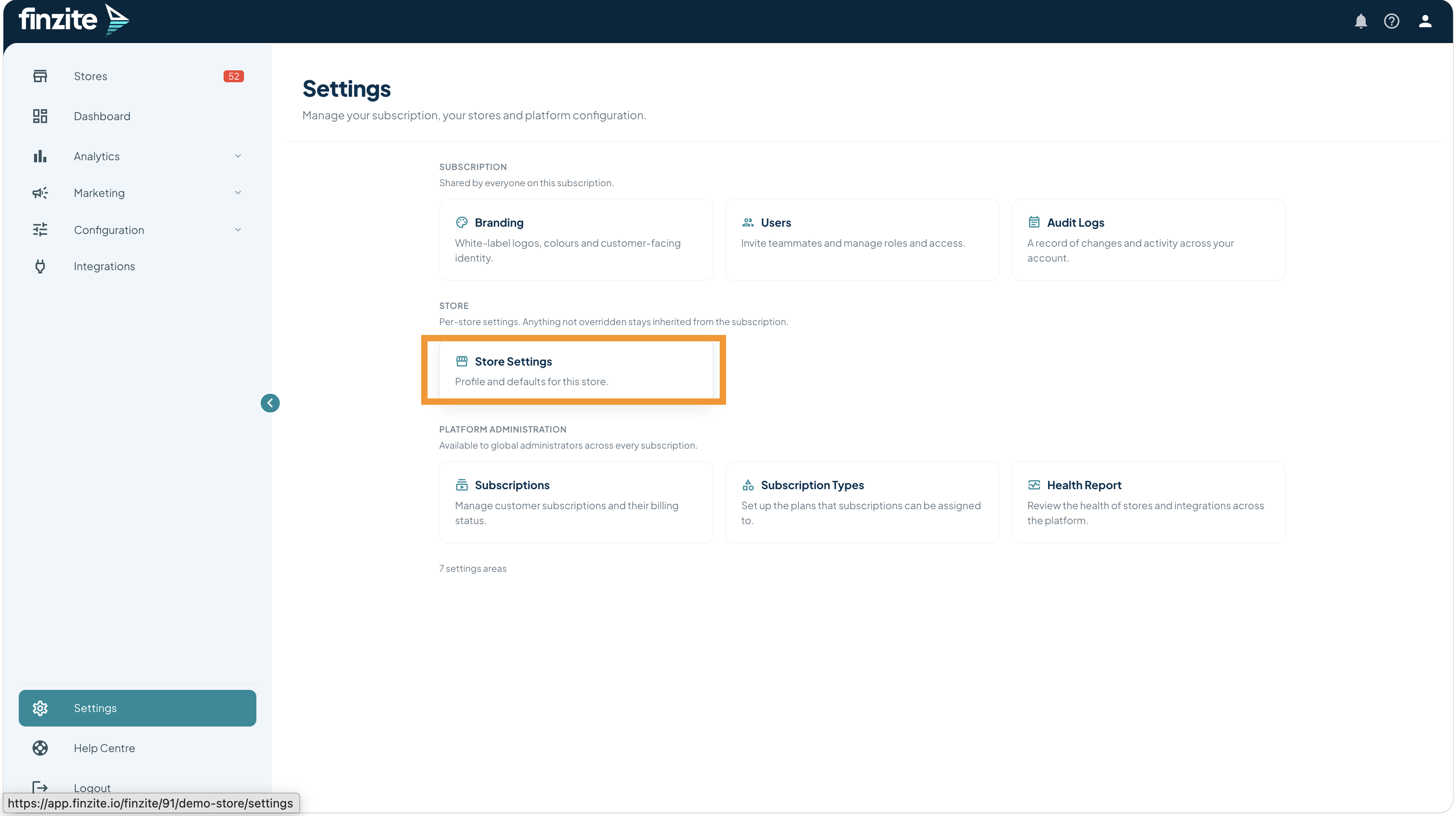
2. Click "Store Settings"
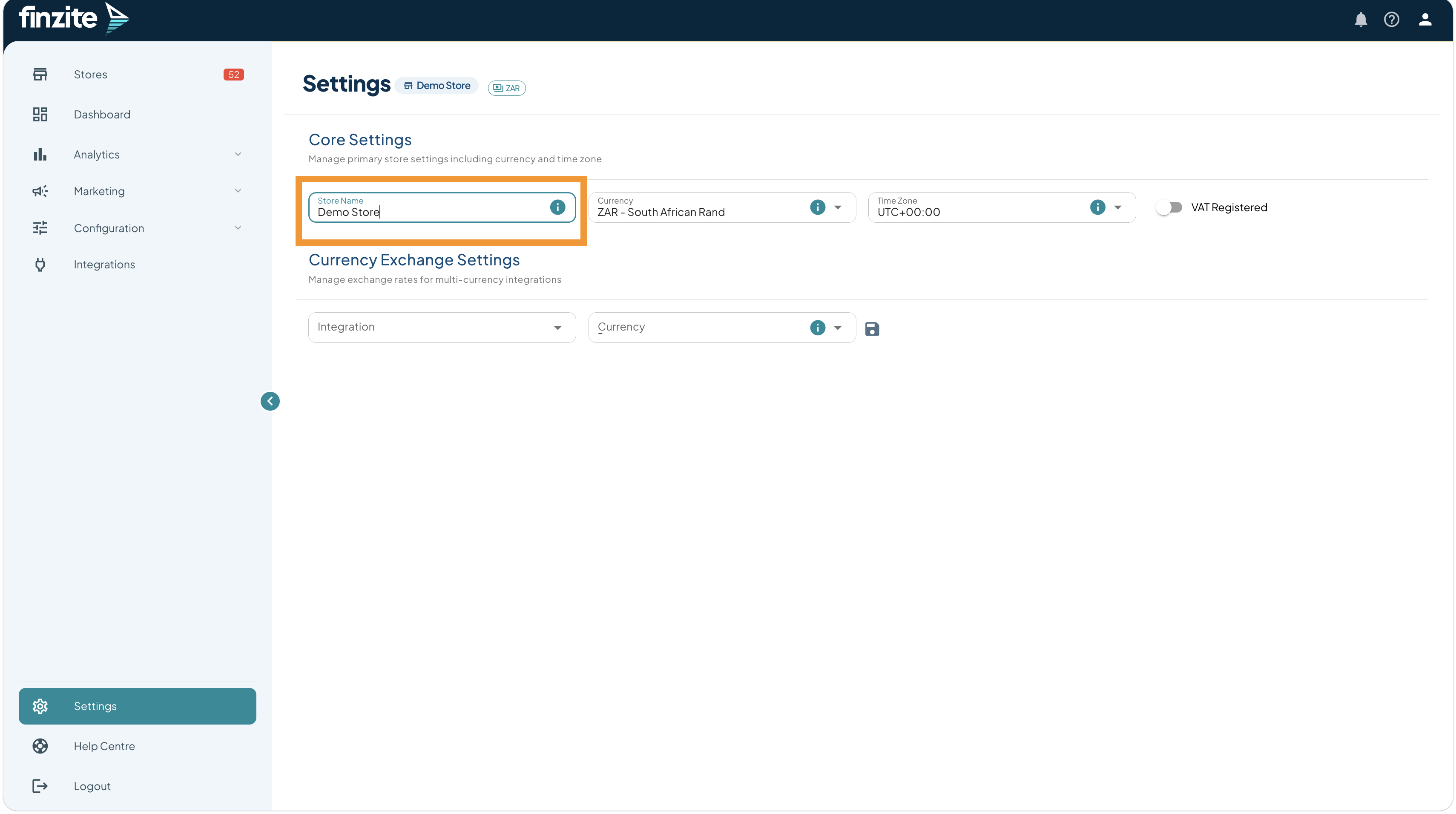
3. Locate the store name section. Change the store name to your preferred name.
Was this article helpful?
That’s Great!
Thank you for your feedback
Sorry! We couldn't be helpful
Thank you for your feedback
Feedback sent
We appreciate your effort and will try to fix the article