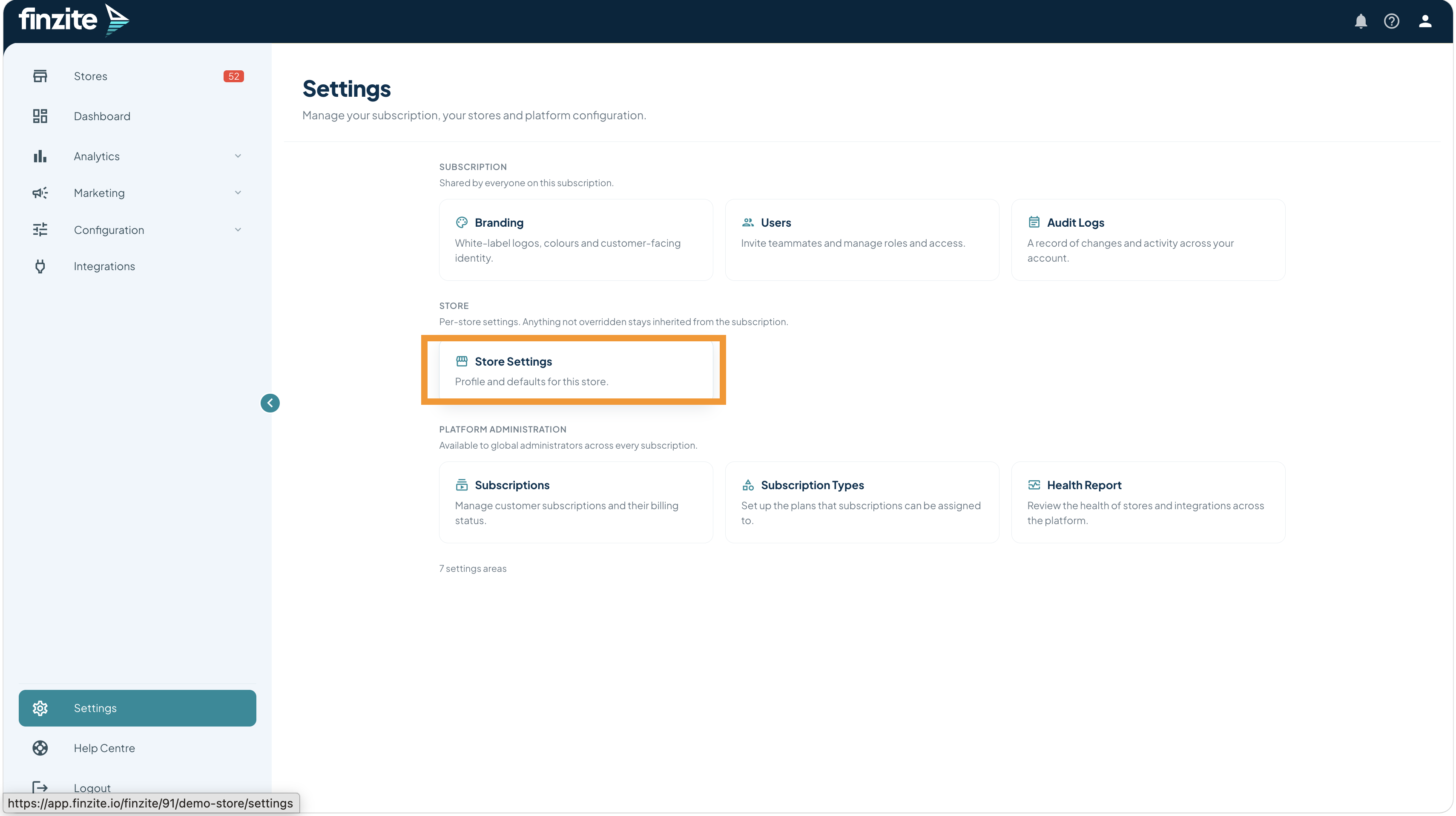
Navigate to Settings.
Click on Store settings.
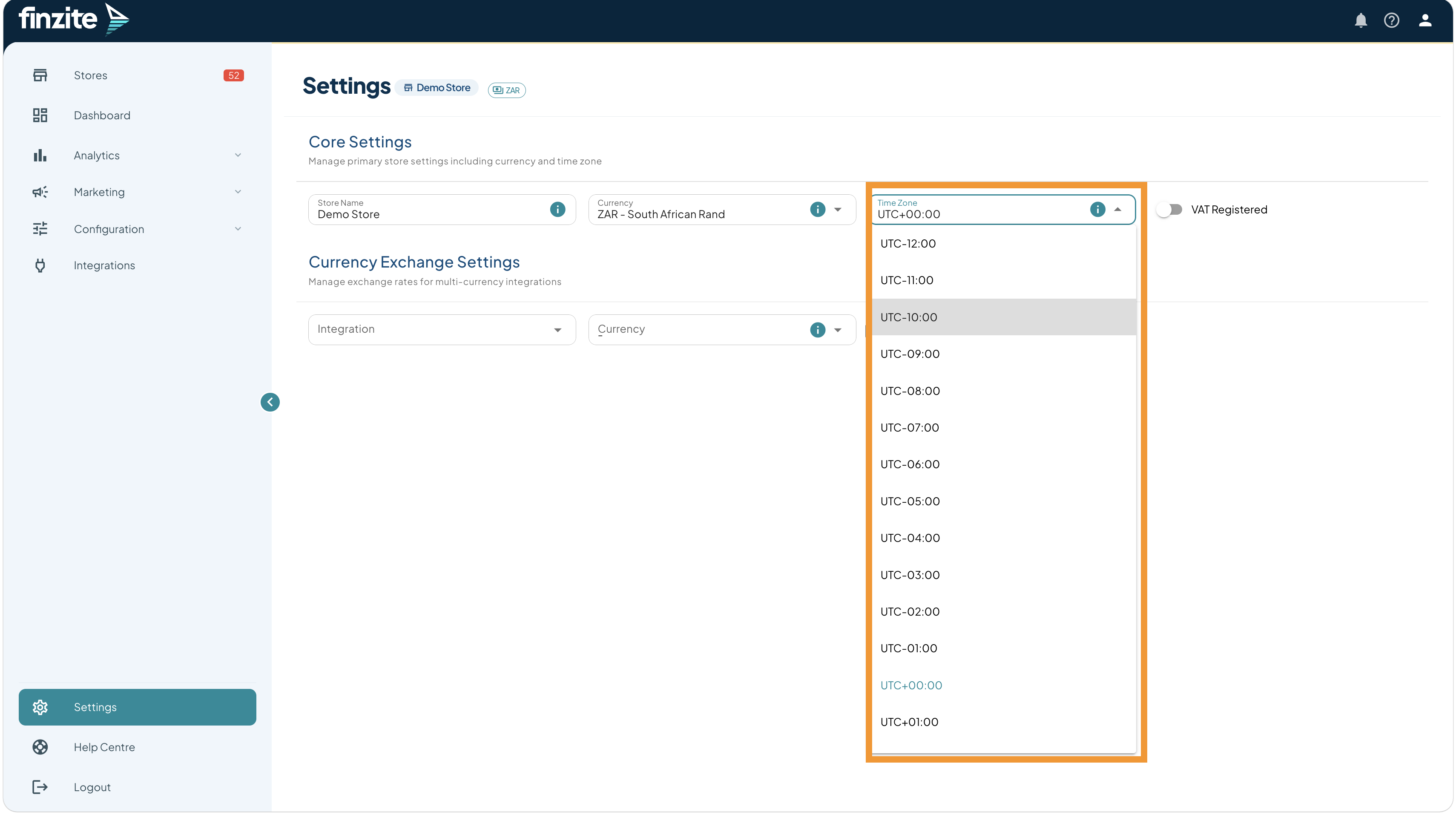
Under Core Settings, locate the Time Zone field.
Select the correct time zone for your business operations.
Click Save.
The time zone setting controls:
Daily reporting cut-off times
Order timestamp alignment
Accurate day, week, and month reporting
Ensuring your correct time zone is selected guarantees accurate date-based reporting across all dashboards and reports.
1.
2.
Was this article helpful?
That’s Great!
Thank you for your feedback
Sorry! We couldn't be helpful
Thank you for your feedback
Feedback sent
We appreciate your effort and will try to fix the article