How to Set Up White Labeling in Finzite
Overview
Finzite White Labeling allows you to customize the platform with your own branding, domain, login experience, support email address, and email communications.
Once configured, all stores within the selected subscription will inherit the white-label settings, providing your customers with a fully branded reporting and analytics experience.
Step 1: Navigate to the Branding Page
Log in to Finzite.
Navigate to Administration → Branding.
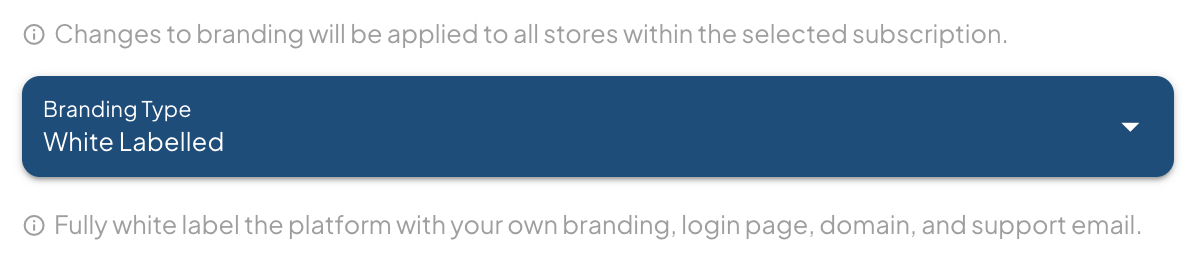
Select the subscription you would like to white label.
Under Branding Type, select White Labelled.
Important: All branding changes will automatically apply to every store associated with the selected subscription.
Step 2: Configure Your Email Provider
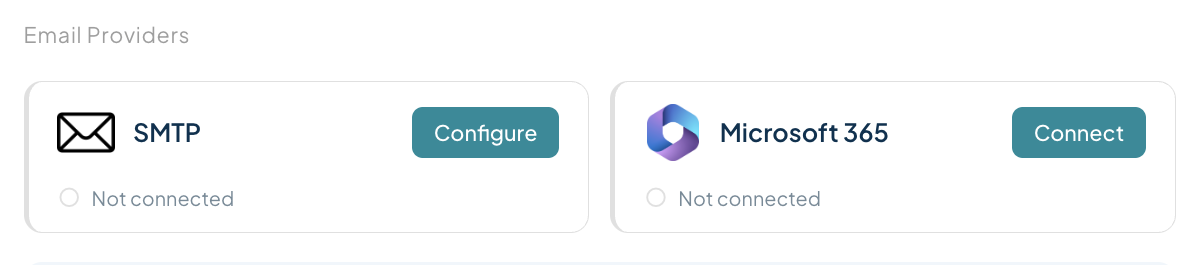
Before enabling branded communications, connect your preferred email provider.
Finzite supports:
Microsoft 365
SMTP
Microsoft 365 Setup
Click Connect under Microsoft 365.
Sign in with your Microsoft 365 account.
Grant the required permissions.
Once connected, the status will display as connected.
SMTP Setup
Click Configure under SMTP.
Enter your SMTP server details.
Save the configuration.
Verify the connection is successful.
Select Your Email Provider
After connecting an email provider:
Locate the Selected Email Provider dropdown.
Choose the provider you would like Finzite to use for outgoing emails.
This provider will be used for:
Welcome emails
User invitation emails
Password reset emails
Platform notifications
Step 3: Configure Your Custom Domain
The custom domain allows users to access Finzite through your own branded URL.
Example
Instead of:
app.finzite.io
Your users can access:
analytics.yourcompany.com
or
app.yourcompany.com
Domain Configuration Process
Enter your preferred domain or subdomain in the Custom Domain field.
Save your branding configuration.
Contact the Finzite team with your custom domain request.

The Finzite team will:
Register the domain on our backend infrastructure.
Generate the required DNS verification records.
Provide you with the TXT and CNAME records required for setup.
DNS Configuration
Add the provided:
TXT Records
CNAME Records
to your DNS provider.
Common DNS providers include:
Cloudflare
GoDaddy
Afrihost
Domains.co.za
Namecheap
AWS Route 53
Once completed:
Notify the Finzite team.
We will verify the records.
Your custom login URL will be activated.
Important
Your custom login URL will only become active once DNS verification has been completed successfully.

Step 4: Configure Your Support Email
Enter the support email address you would like your users to contact.
Examples:
This email address will be displayed throughout your white-labeled environment.

Step 5: Select Your Brand Colour
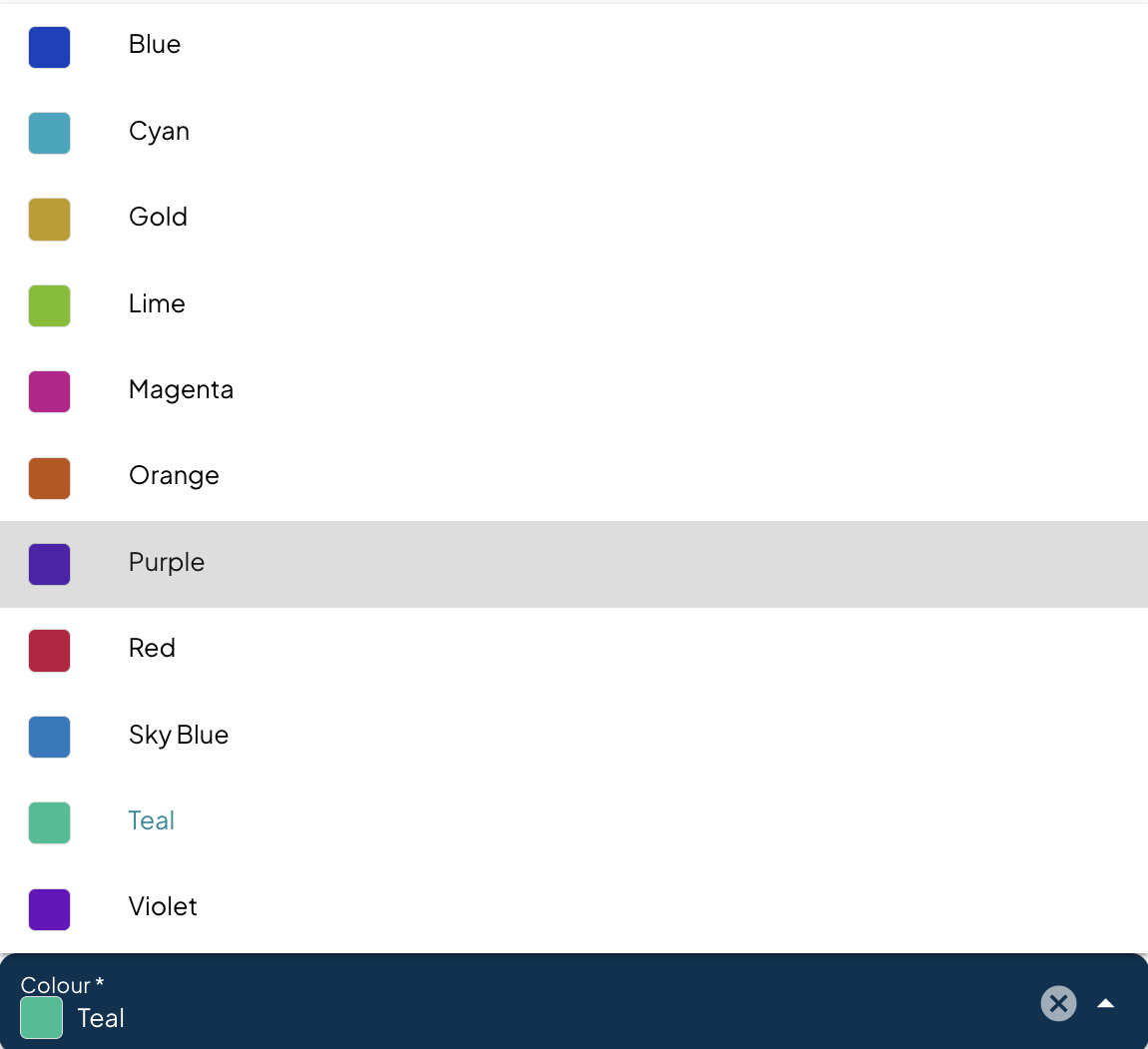
Choose the primary colour that will represent your brand throughout the platform.
This colour will be applied to:
Navigation menus
Buttons
Login pages
Platform elements
Customer-facing interfaces
Step 6: Upload Your Branding Assets
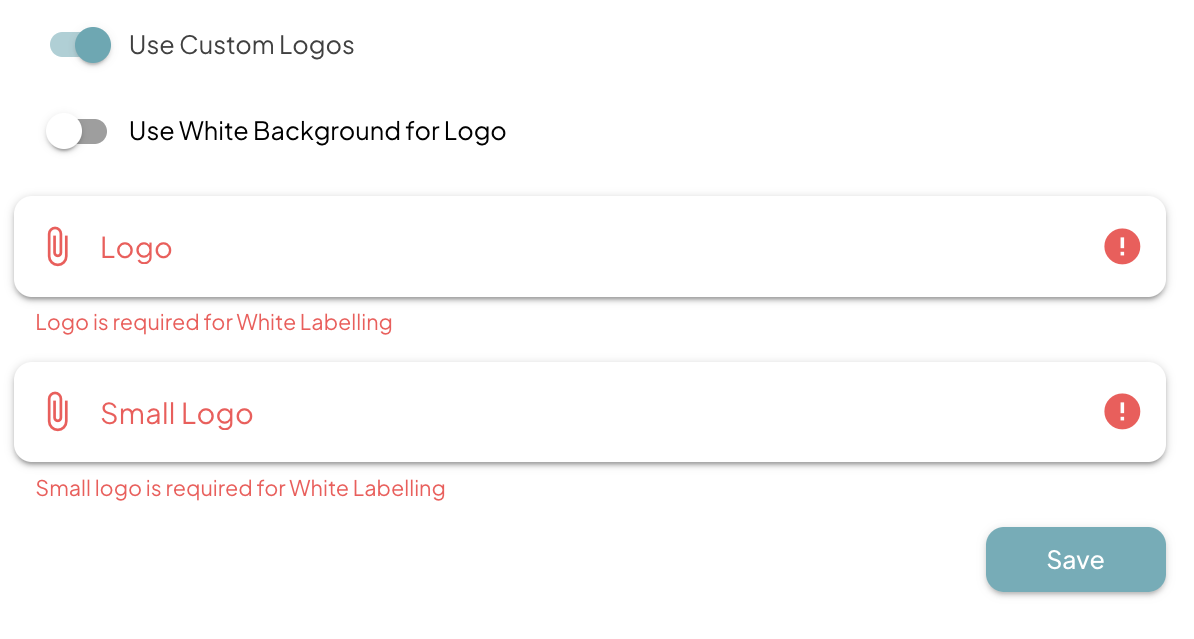
Enable Use Custom Logos.
Upload Your Main Logo
Upload your primary company logo.
This logo will appear throughout the platform and on login pages.
Upload Your Small Logo
Upload a simplified version of your logo.
This logo will be used in navigation areas and other compact spaces within the platform.
White Background Option
Enable Use White Background for Logo if your branding requires a white background for improved visibility.
Step 7: Save Your White Label Configuration
Once all required fields have been completed:
Email Provider
Custom Domain
Support Email
Brand Colour
Main Logo
Small Logo
Click Save.
Your white-label configuration will now be applied to all stores linked to the selected subscription.
Step 8: Verify Your White Label Environment
Before inviting users, we recommend testing the following:
Login Experience
Verify the custom login URL is working.
Confirm branding displays correctly.
Email Communications
Test a password reset email.
Verify sender details and branding.
Platform Branding
Confirm colours display correctly.
Verify logos appear in all expected locations.
Support Experience
Confirm the support email is displayed correctly.
White Label Setup Complete
Once configuration is complete, your customers will experience Finzite entirely under your brand.
Your white-labeled environment will include:
Custom login URL
Custom domain
Branded login experience
Custom colours
Custom logos
Branded emails
Custom support contact information
Consistent branding across all stores within the subscription
Your White Label environment is now ready for customer onboarding.
Was this article helpful?
That’s Great!
Thank you for your feedback
Sorry! We couldn't be helpful
Thank you for your feedback
Feedback sent
We appreciate your effort and will try to fix the article